

Overview
TheCometChatMentionsFormatter class is part of the CometChat UI Kit, a ready-to-use chat UI component library for integrating CometChat into your iOS applications. This class provides functionality to format mentions within text messages displayed in the chat interface. Mentions allow users to reference other users within a conversation, providing a convenient way to direct messages or involve specific participants.
Features
- Mention Formatting: Automatically formats mentions within text messages based on provided styles and settings
- Customizable Styles: Allows customization of text styles for mentions, including colors, fonts, and background colors
- User and Group Member Mentions: Supports mentions for both individual users and group members, providing flexibility in communication scenarios
- Mention List Generation: Generates a list of suggested mentions based on user input, facilitating easy selection of recipients during message composition
- Mention Click Handling: Provides a listener interface for handling click events on mentions, enabling custom actions to be performed when a mention is tapped by the user
Usage
To integrate theCometChatMentionsFormatter class into your application:
-
Initialization: Create an instance of the
CometChatMentionsFormatterclass and configure it with desired settings, such as mention text styles and limit settings. -
Set Mention Listeners: Set listeners for handling mention click events (
.setOnMentionClicked). -
Format Messages: Use the
.set(leftBubbleTextStyle),.set(rightBubbleTextStyle),.set(composerTextStyle), and.set(conversationListTextStyle)methods to format text messages with mentions appropriately for display in the chat interface. - Customization: Customize the appearance and behavior of mentions by adjusting the text styles, colors, and other formatting properties as needed.
CometChatMentionsFormatter can be directly initialized, tweaked using its properties, and passed into different configurations.
Below is an example demonstrating how to use the CometChatMentionsFormatter class in components such as CometChatConversations, CometChatMessageList, and CometChatMessageComposer.
- Swift
Actions
Actions dictate how a component functions. They are divided into two types: Predefined and User-defined. You can override either type, allowing you to tailor the behavior of the component to fit your specific needs.setOnMentionClick
Setting a listener for mention-click events in Message Bubbles enhances interactivity within the chat. This listener is activated when a mention is clicked, returning the corresponding user object. This feature transforms mentions into interactive links, enabling more in-depth and contextual engagement with the user associated with the clicked mention.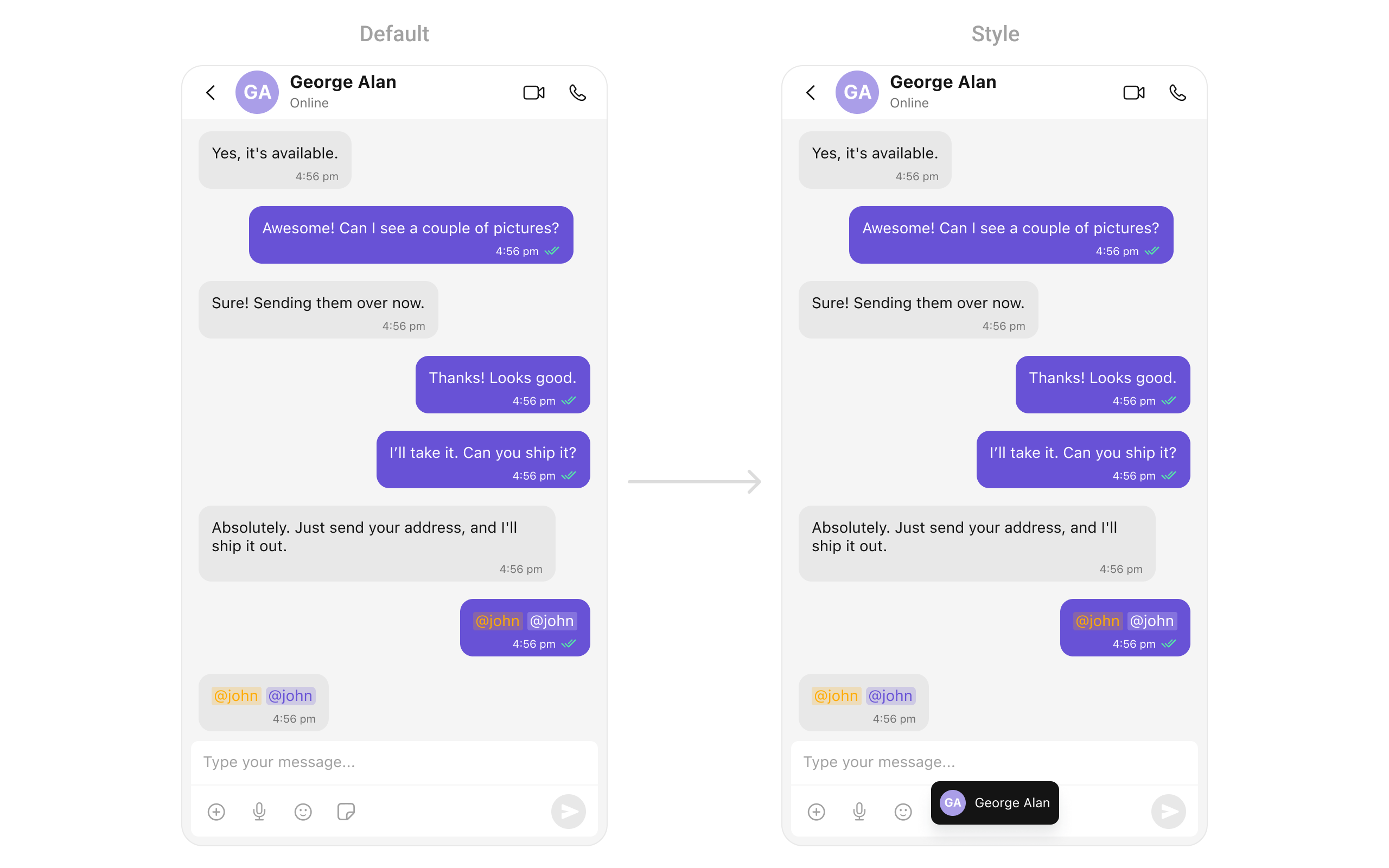
- Swift
showToastMessage:
- Swift
Customization
| Method | Description | Type |
|---|---|---|
| Set Conversation List TextStyle | Sets styling for conversation list’s formatted text | MentionTextStyle |
| Set GroupMembersRequestBuilder | Sets the builder for fetching group members | GroupMembersRequest.GroupMembersRequestBuilder? |
| Set UsersRequestBuilder | Sets the builder for fetching users | UsersRequest.UsersRequestBuilder? |
| Set OnMentionClick | Sets a listener for mention click events in Message Bubbles | ((_ baseMessage: BaseMessage, _ tappedText: String, _ controller: UIViewController?)->()) |
| Set composerTextStyle | Sets styling for composer’s formatted text | MentionTextStyle |
Advanced
For advanced-level customization, you can set the style of the Mentions formatters. This lets you tailor each aspect of the component to fit your exact needs and application aesthetics. You can create and define your own formatter styles.Composer Mention Text Style
Assigns the list of text formatters. If the provided list is not null, it sets the list. Otherwise, it assigns the default text formatters retrieved from the data source. To configure the existing Mentions look and feel for CometChatMessageComposer, refer to the code snippet below.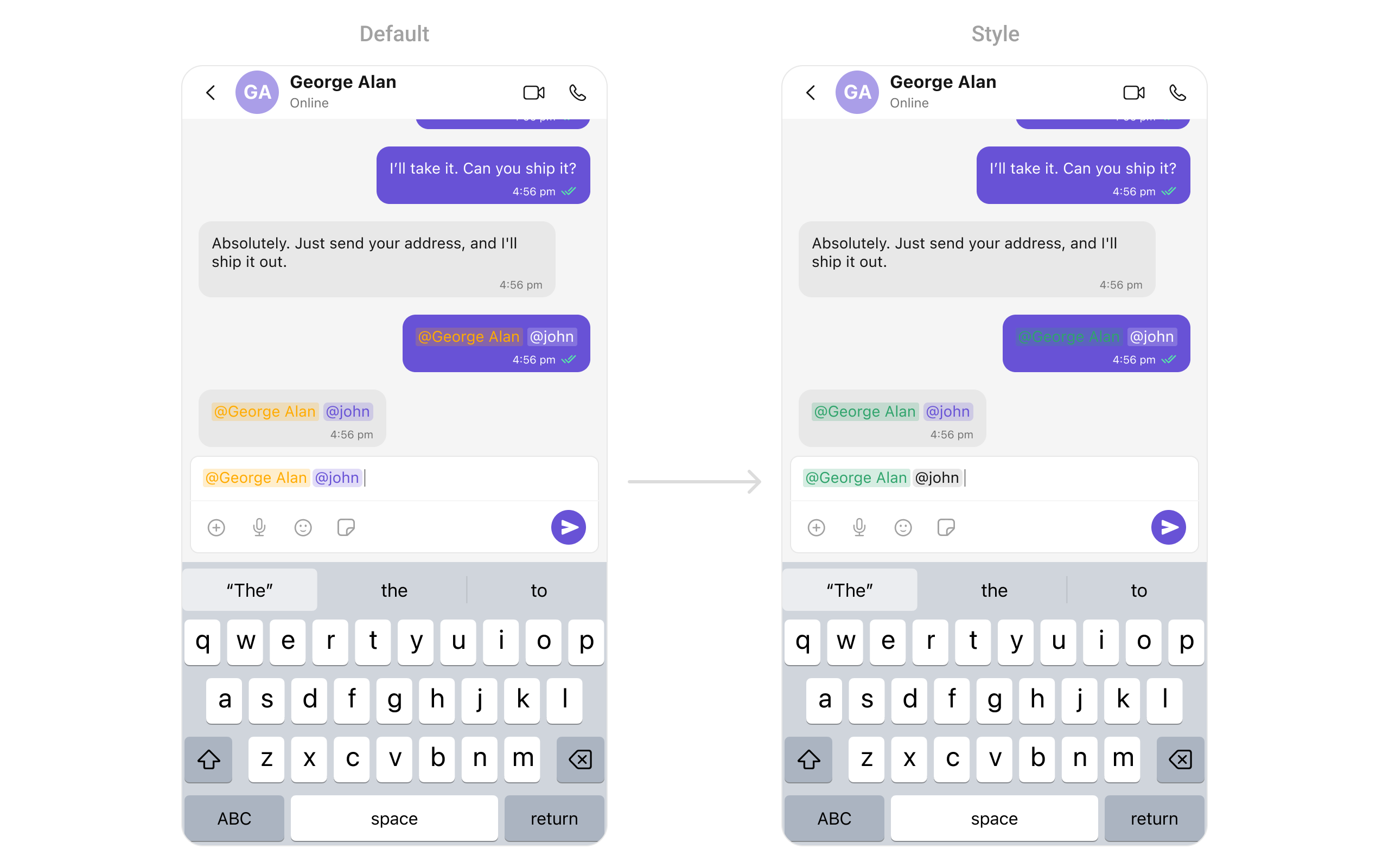
- Swift
Message Bubble Mention Text Style
Assigns the list of text formatters. If the provided list is not null, it sets the list. Otherwise, it assigns the default text formatters retrieved from the data source. To configure the existing Mentions look and feel for CometChatMessageList, refer to the code snippet below.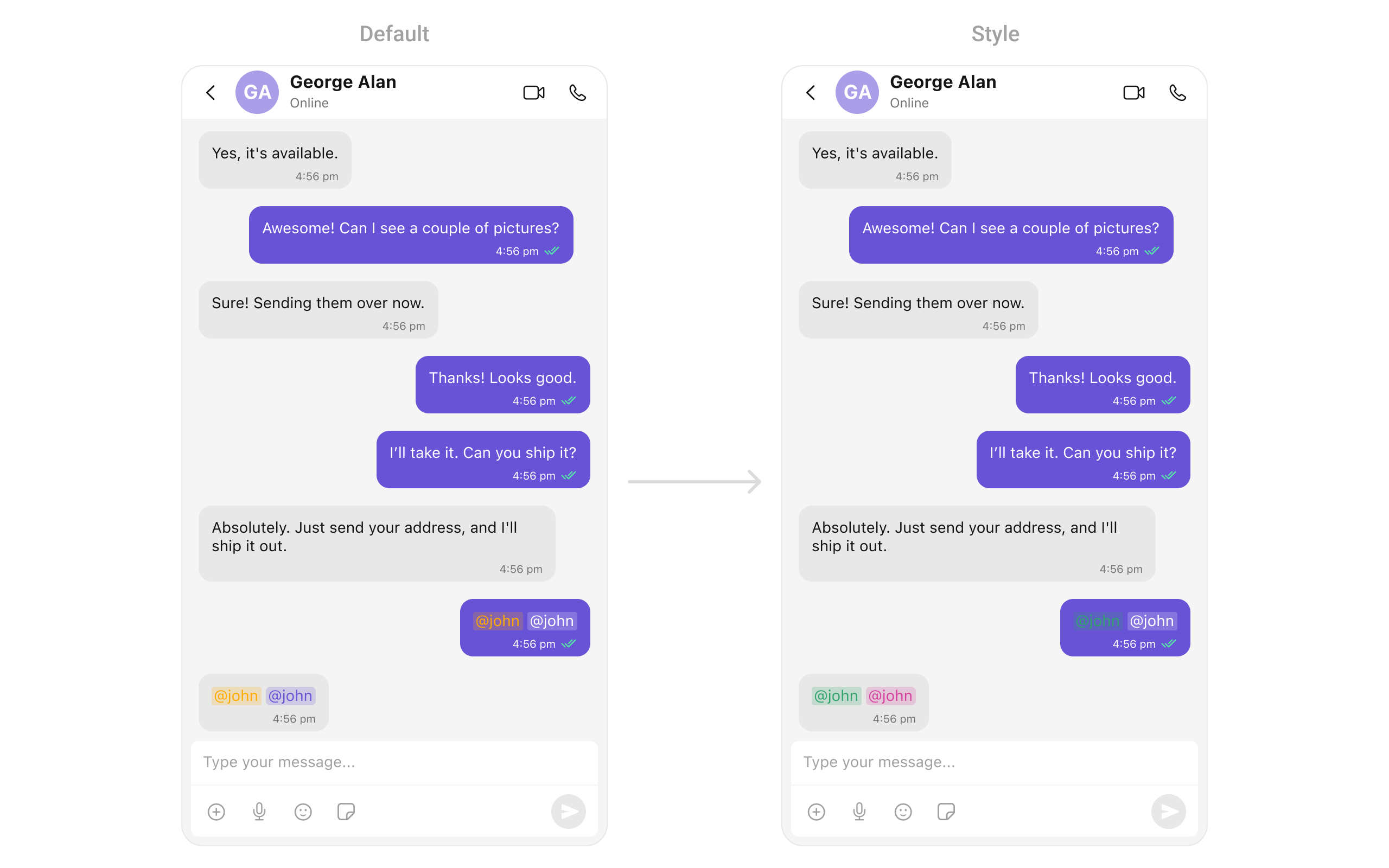
- Swift
Conversations Mention Text Style
Assigns the list of text formatters. If the provided list is not null, it sets the list. Otherwise, it assigns the default text formatters retrieved from the data source. To configure the existing Mentions look and feel for CometChatConversations, refer to the code snippet below.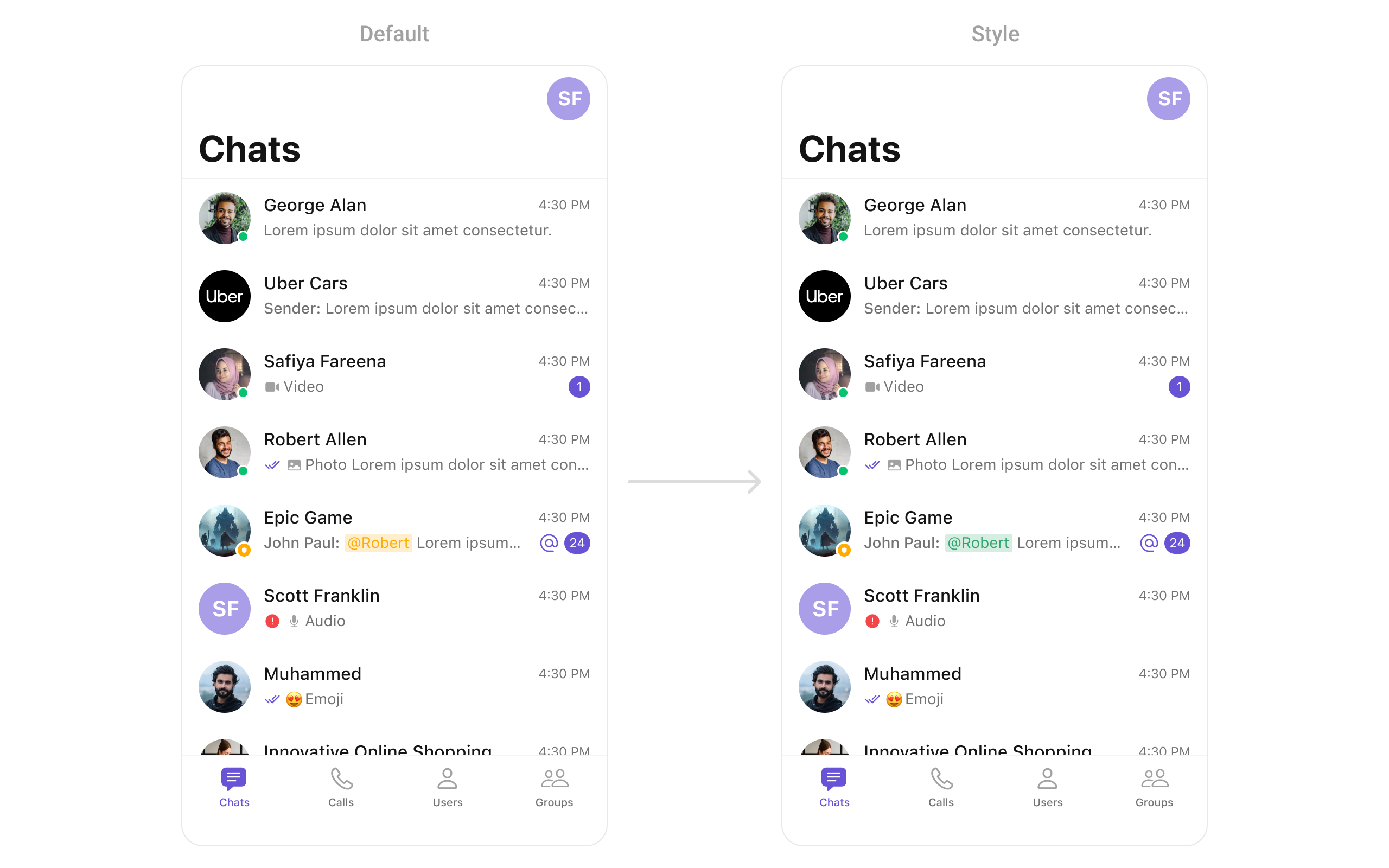
- Swift
Next Steps
- Message Composer — Learn about the message input component
- Message List — Display and customize chat messages
- Conversations — Manage conversation lists