

Overview
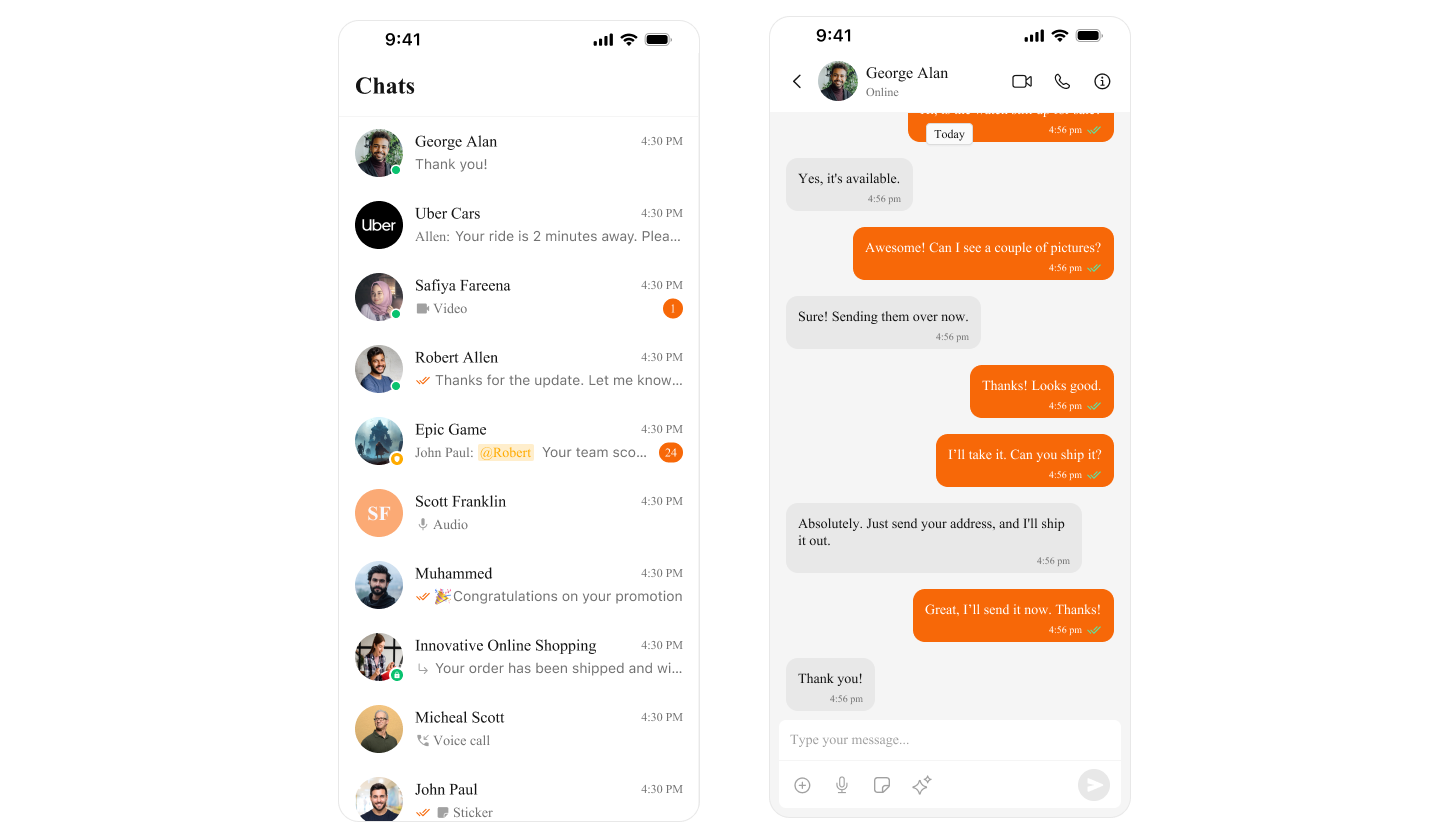
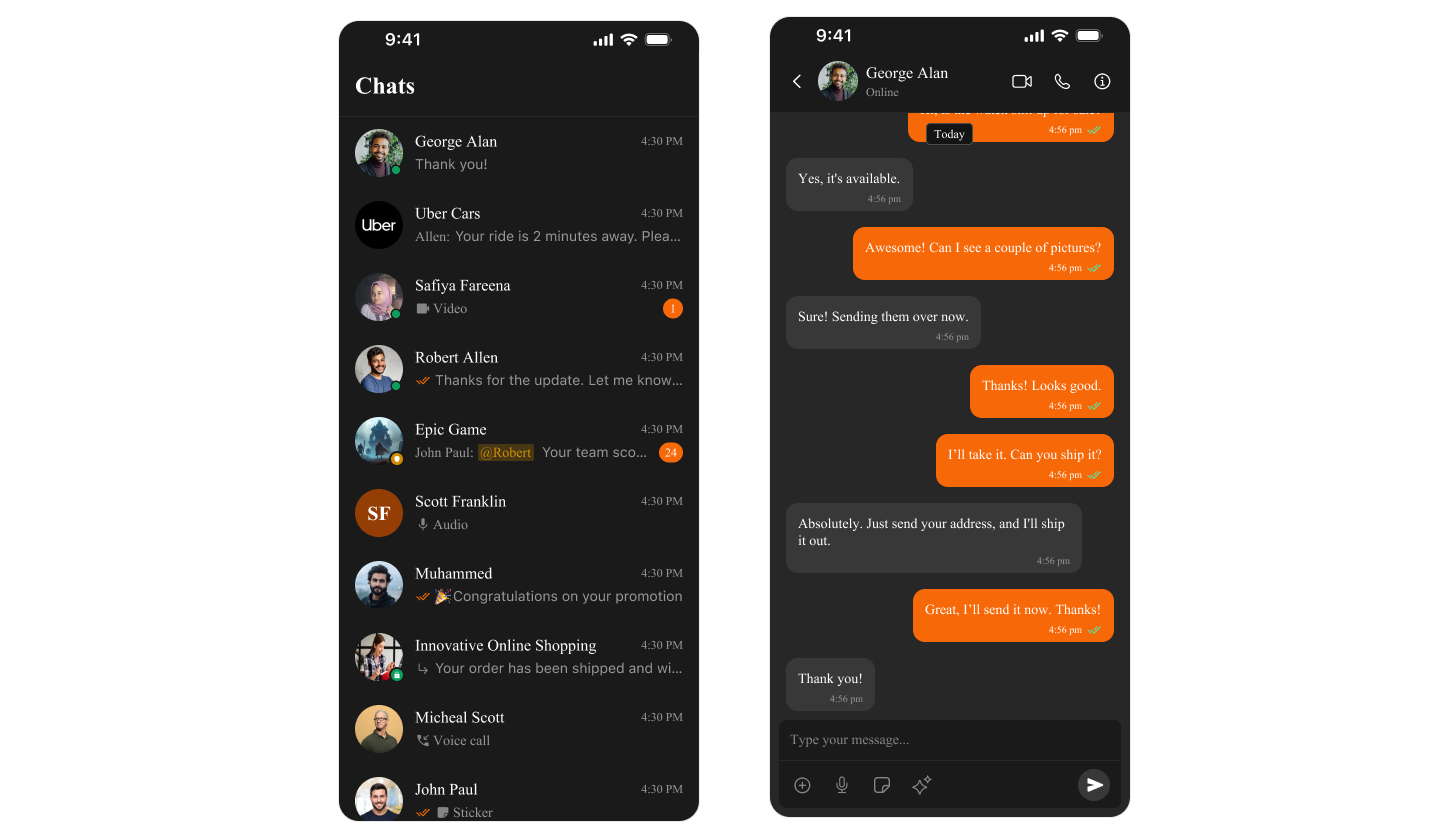
CometChat UI Kit usesCometChatTheme to manage colors across all components. Colors automatically adapt to Light and Dark mode, ensuring a consistent experience.
- Light Mode
- Dark Mode
Color Categories
| Category | Purpose | Examples |
|---|---|---|
| Primary | Main brand color, buttons, links | primaryColor |
| Background | Screen and component backgrounds | backgroundColor01, backgroundColor02 |
| Text | Typography colors | textColorPrimary, textColorSecondary |
| Border | Dividers and outlines | borderColorLight, borderColorDark |
| Alert | Status indicators | successColor, errorColor, warningColor |
| Icon | Icon tints | iconColorPrimary, iconColorSecondary |
Quick Start
Access Default Colors
- Swift
Customize Theme Colors
Change Primary Color (Brand Color)
- Swift
Complete Theme Customization
- Swift
Dark Mode Support
CometChat automatically adapts to system appearance. You can also customize dark mode colors:- Swift
Color Reference
Primary Colors
| Property | Light Mode | Dark Mode | Usage |
|---|---|---|---|
primaryColor | #6852D6 | #6852D6 | Buttons, links, accents |
Background Colors
| Property | Light Mode | Dark Mode | Usage |
|---|---|---|---|
backgroundColor01 | #FFFFFF | #141414 | Main background |
backgroundColor02 | #F5F5F5 | #1E1E1E | Secondary background |
backgroundColor03 | #EEEEEE | #2C2C2C | Tertiary background |
Text Colors
| Property | Light Mode | Dark Mode | Usage |
|---|---|---|---|
textColorPrimary | #141414 | #FFFFFF | Main text |
textColorSecondary | #727272 | #A0A0A0 | Secondary text |
textColorTertiary | #A0A0A0 | #727272 | Hints, placeholders |
Alert Colors
| Property | Color | Usage |
|---|---|---|
successColor | #09C26F | Success states |
errorColor | #F44649 | Errors, missed calls |
warningColor | #FFAB00 | Warnings |
infoColor | #2196F3 | Information |
Border Colors
| Property | Light Mode | Dark Mode | Usage |
|---|---|---|---|
borderColorLight | #E8E8E8 | #2C2C2C | Subtle borders |
borderColorDark | #CCCCCC | #404040 | Prominent borders |
Production Example
Complete app with custom branding:- Swift
Troubleshooting
| Problem | Solution |
|---|---|
| Colors not applying | Apply theme before CometChatUIKit.init() |
| Dark mode not working | Use UIColor { traitCollection in } for dynamic colors |
| Inconsistent colors | Set all related colors (text, background, border) together |
Related
- Component Styling - Style individual components
- Theme Introduction - Complete theming guide
- Getting Started - Initial setup