Overview

The MessageBubble styling API allows developers to customize the appearance of incoming and outgoing message bubbles globally or at the component level. This includes various message types such as text, image, video, audio, file, and document bubbles. There are two primary classes for styling message bubbles:
  • CometChat Incoming Message Bubble Style
  • CometChat Outgoing Message Bubble Style
Both classes provide properties for customizing background color, border, corner radius, and specific styles for individual message types.

Properties

Global Styling (Static Variables)

PropertyDescription
backgroundColorThe background color for message bubbles
backgroundDrawableA background image for message bubbles
borderWidthThe width of the border for message bubbles
borderColorThe color of the border for message bubbles
cornerRadiusThe corner radius for message bubbles

Specific Message Type Styles

PropertyDescription
textBubbleStyleStyle for text message bubbles
imageBubbleStyleStyle for image message bubbles
videoBubbleStyleStyle for video message bubbles
audioBubbleStyleStyle for audio message bubbles
fileBubbleStyleStyle for file message bubbles
documentBubbleStyleStyle for document message bubbles

Customization Examples

Customizing Incoming Message Bubble

The following code snippet shows how to customize the incoming message bubble style:
// Customize incoming message bubble appearance
CometChatMessageBubble.style.incoming.backgroundColor = UIColor(hexString: "#F76808")
CometChatMessageBubble.style.incoming.borderWidth = 2
CometChatMessageBubble.style.incoming.borderColor = UIColor.black

Customizing Outgoing Message Bubble

The following code snippet shows how to customize the outgoing message bubble style:
// Customize outgoing message bubble appearance
CometChatMessageBubble.style.outgoing.backgroundColor = UIColor(hexString: "#F76808")
CometChatMessageBubble.style.outgoing.borderWidth = 2
CometChatMessageBubble.style.outgoing.borderColor = UIColor.black

Text Bubble

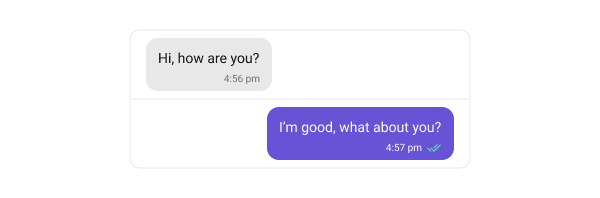
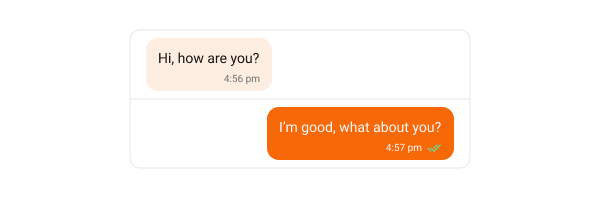
Text bubbles display plain text messages, which are the most common message type. The following code snippet shows how to customize the text message bubble:
// Customize text bubble for incoming messages
CometChatMessageBubble.style.incoming.textBubbleStyle.backgroundColor = UIColor(hexString: "#FEEDE1")

// Customize text bubble for outgoing messages
CometChatMessageBubble.style.outgoing.textBubbleStyle.backgroundColor = UIColor(hexString: "#F76808")
Default
Customization

Image Bubble

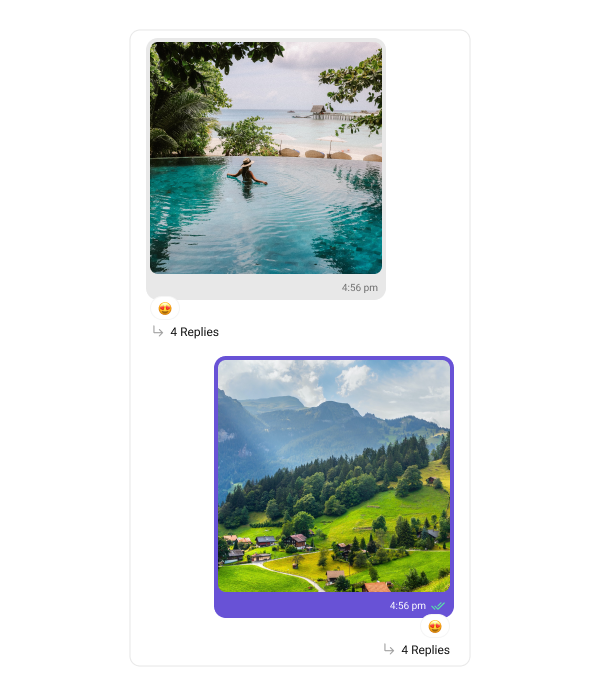
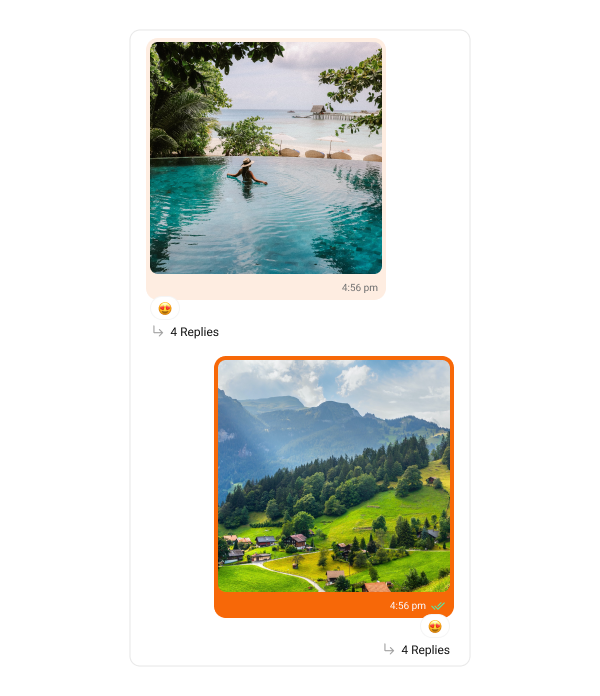
Image bubbles display messages with images. The following code snippet shows how to customize the image message bubble:
// Customize image bubble for incoming messages
CometChatMessageBubble.style.incoming.imageBubbleStyle.backgroundColor = UIColor(hexString: "#FEEDE1")

// Customize image bubble for outgoing messages
CometChatMessageBubble.style.outgoing.imageBubbleStyle.backgroundColor = UIColor(hexString: "#F76808")
Default
Customization

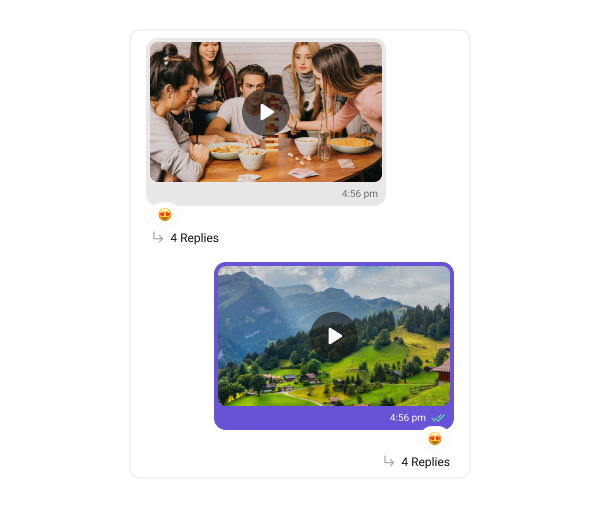
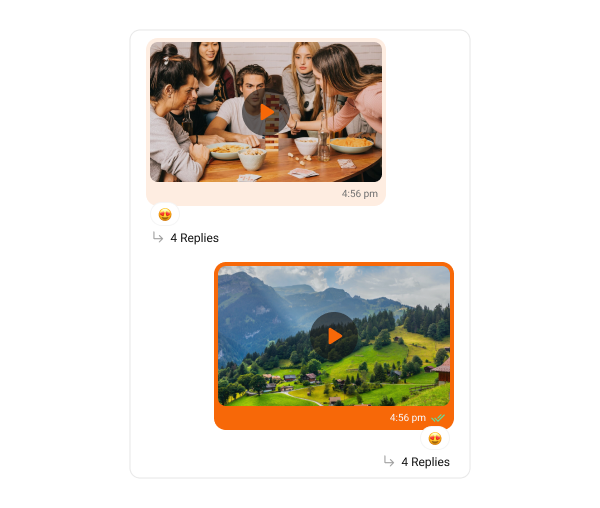
Video Bubble

Video bubbles display messages with video clips. The following code snippet shows how to customize the video message bubble:
// Customize video bubble for incoming messages
CometChatMessageBubble.style.incoming.videoBubbleStyle.backgroundColor = UIColor(hexString: "#FEEDE1")
CometChatMessageBubble.style.incoming.videoBubbleStyle.playButtonTint = UIColor(hexString: "#F76808")

// Customize video bubble for outgoing messages
CometChatMessageBubble.style.outgoing.deleteBubbleStyle.backgroundColor = UIColor(hexString: "#F76808")
CometChatMessageBubble.style.outgoing.videoBubbleStyle.playButtonTint = UIColor(hexString: "#F76808")
Default
Customization

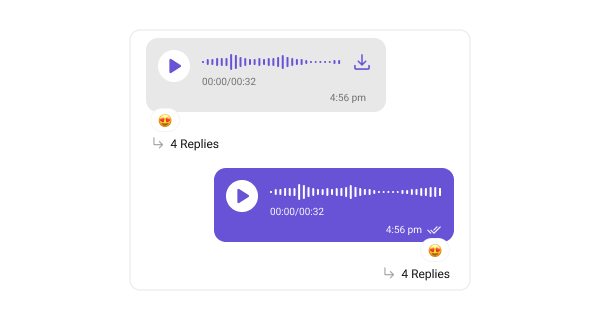
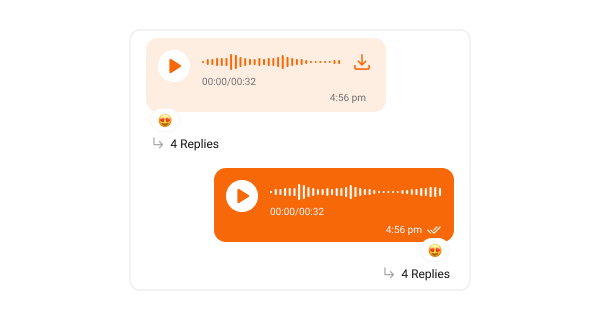
Audio Bubble

Audio bubbles display audio messages. The following code snippet shows how to customize the audio message bubble:
// Customize audio bubble for incoming messages
CometChatMessageBubble.style.incoming.audioBubbleStyle.audioWaveFormTintColor = UIColor(hexString: "#F76808")
CometChatMessageBubble.style.incoming.audioBubbleStyle.playImageTintColor = UIColor(hexString: "#F76808")
CometChatMessageBubble.style.incoming.audioBubbleStyle.backgroundColor = UIColor(hexString: "#FEEDE1")

// Customize audio bubble for outgoing messages
CometChatMessageBubble.style.outgoing.audioBubbleStyle.playImageTintColor = UIColor(hexString: "#F76808")
CometChatMessageBubble.style.outgoing.audioBubbleStyle.backgroundColor = UIColor(hexString: "#F76808")
Default
Customization

Poll Bubble

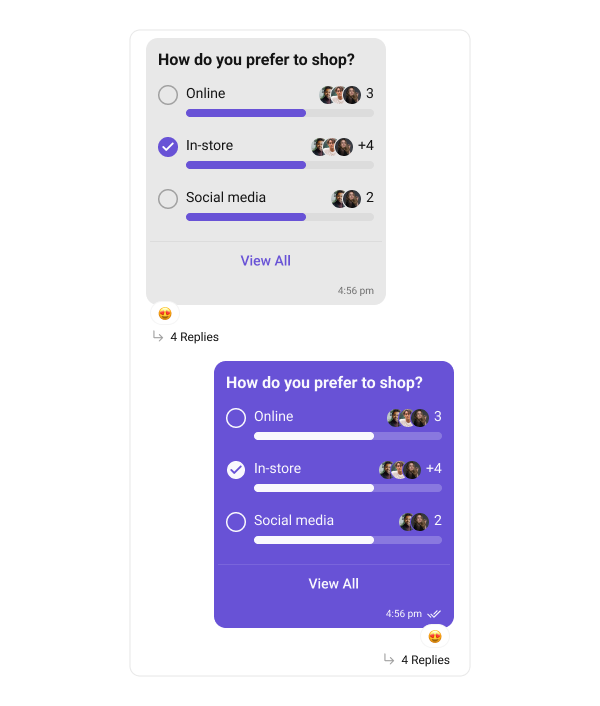
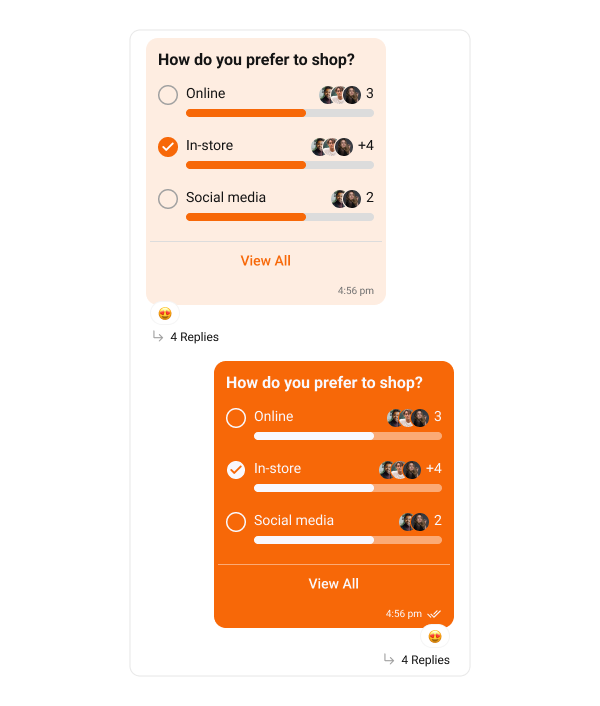
Poll bubbles display messages with polling options. The following code snippet shows how to customize the poll message bubble:
// Customize poll bubble for incoming messages
CometChatMessageBubble.style.incoming.pollBubbleStyle.optionProgressTintColor = UIColor(hexString: "#F76808")
CometChatMessageBubble.style.incoming.pollBubbleStyle.selectedPollImageTint = UIColor(hexString: "#F76808")
CometChatMessageBubble.style.incoming.pollBubbleStyle.backgroundColor = UIColor(hexString: "#FEEDE1")

// Customize poll bubble for outgoing messages
CometChatMessageBubble.style.outgoing.pollBubbleStyle.backgroundColor = UIColor(hexString: "#F76808")
Default
Customization

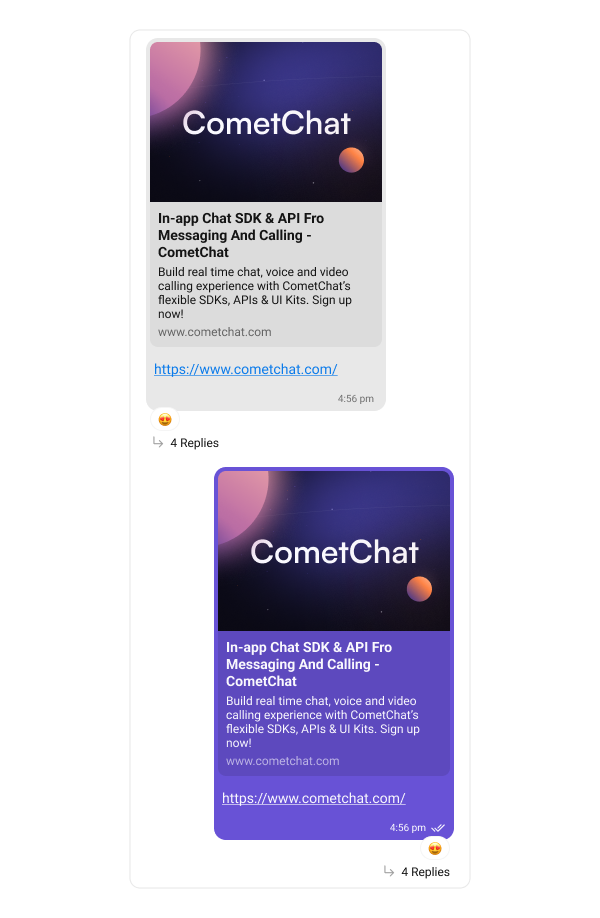
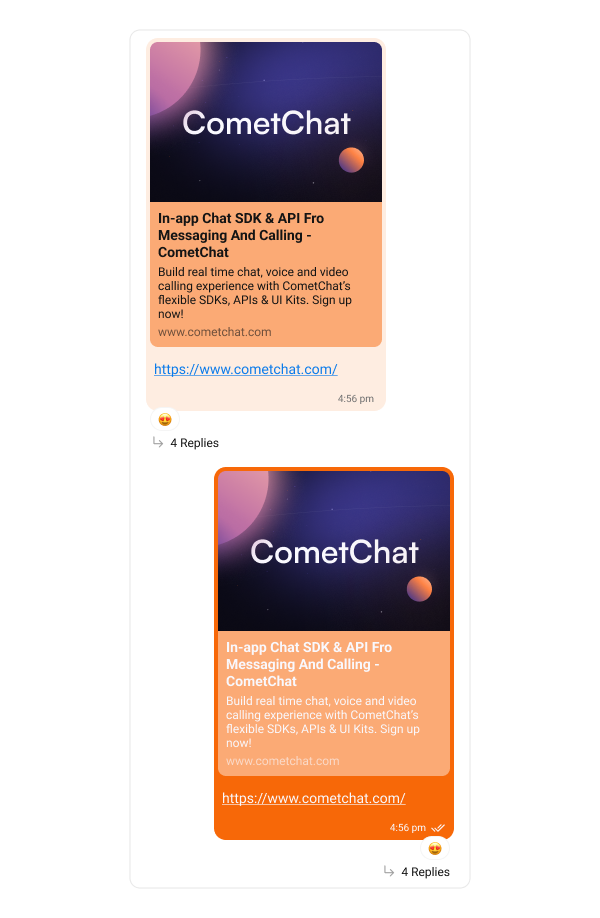
The Link Preview Bubble displays a preview of links shared in messages. It enriches the messaging experience by showing details such as the page title, description, and an image from the linked content, making links more engaging and informative. The following code snippet shows how to customize the link preview message bubble:
// Customize link preview bubble for incoming messages
CometChatMessageBubble.style.incoming.linkPreviewBubbleStyle.backgroundColor = UIColor(hexString: "#FEEDE1")

// Customize link preview bubble for outgoing messages
CometChatMessageBubble.style.outgoing.linkPreviewBubbleStyle.backgroundColor = UIColor(hexString: "#F76808")
Default
Customization

Action Bubble

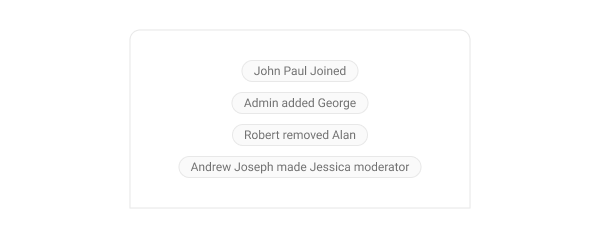
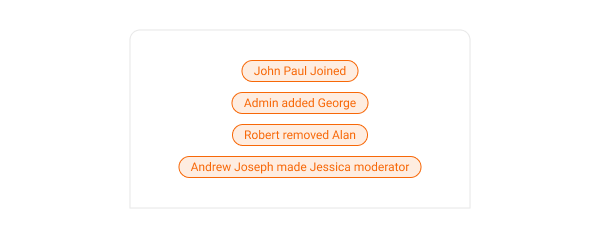
Action bubbles provide a customizable interface for displaying a variety of actions, such as group actions, within a chat. The following code snippet shows how to customize the action message bubble:
// Customize action bubble appearance
CometChatMessageBubble.actionBubbleStyle.backgroundColor = UIColor(hexString: "#FEEDE1")
CometChatMessageBubble.actionBubbleStyle.bubbleTextColor = UIColor(hexString: "#F76808")
CometChatMessageBubble.actionBubbleStyle.borderColor = UIColor(hexString: "#F76808")
Default
Customization

Delete Bubble

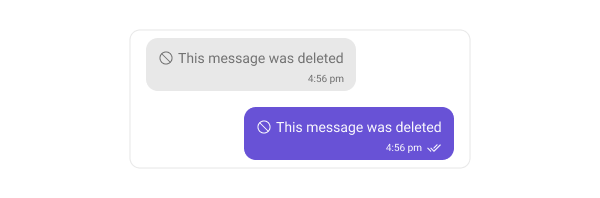
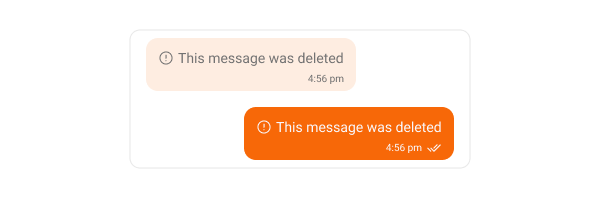
Delete bubbles display messages that have been deleted by the sender. These indicate the message removal within the chat interface. The following code snippet shows how to customize the delete message bubble:
// Customize delete bubble for incoming messages
CometChatMessageBubble.style.incoming.deleteBubbleStyle.backgroundColor = UIColor(hexString: "#FEEDE1")

// Customize delete bubble for outgoing messages
CometChatMessageBubble.style.outgoing.deleteBubbleStyle.backgroundColor = UIColor(hexString: "#F76808")
Default
Customization

AI Assistant Bubble

The AI Assistant Bubble displays responses or messages sent by the AI assistant within the chat interface. These bubbles are designed to visually distinguish AI-generated messages from user messages, maintaining a clear and intuitive conversation flow. You can customize the appearance of the AI Assistant message bubble to match your app’s theme — including background color, text color, font, and border styling. The following code snippet shows how to customize the AI Assistant message bubble:
// Customize AI assistant bubble for incoming messages
CometChatMessageBubble.style.incoming.aiAssistantBubbleStyle.backgroundColor = UIColor(hexString: "#FEEDE1")

// Customize AI assistant bubble for outgoing messages
CometChatMessageBubble.style.outgoing.aiAssistantBubbleStyle.backgroundColor = UIColor(hexString: "#F76808")
Default
Customization

Next Steps